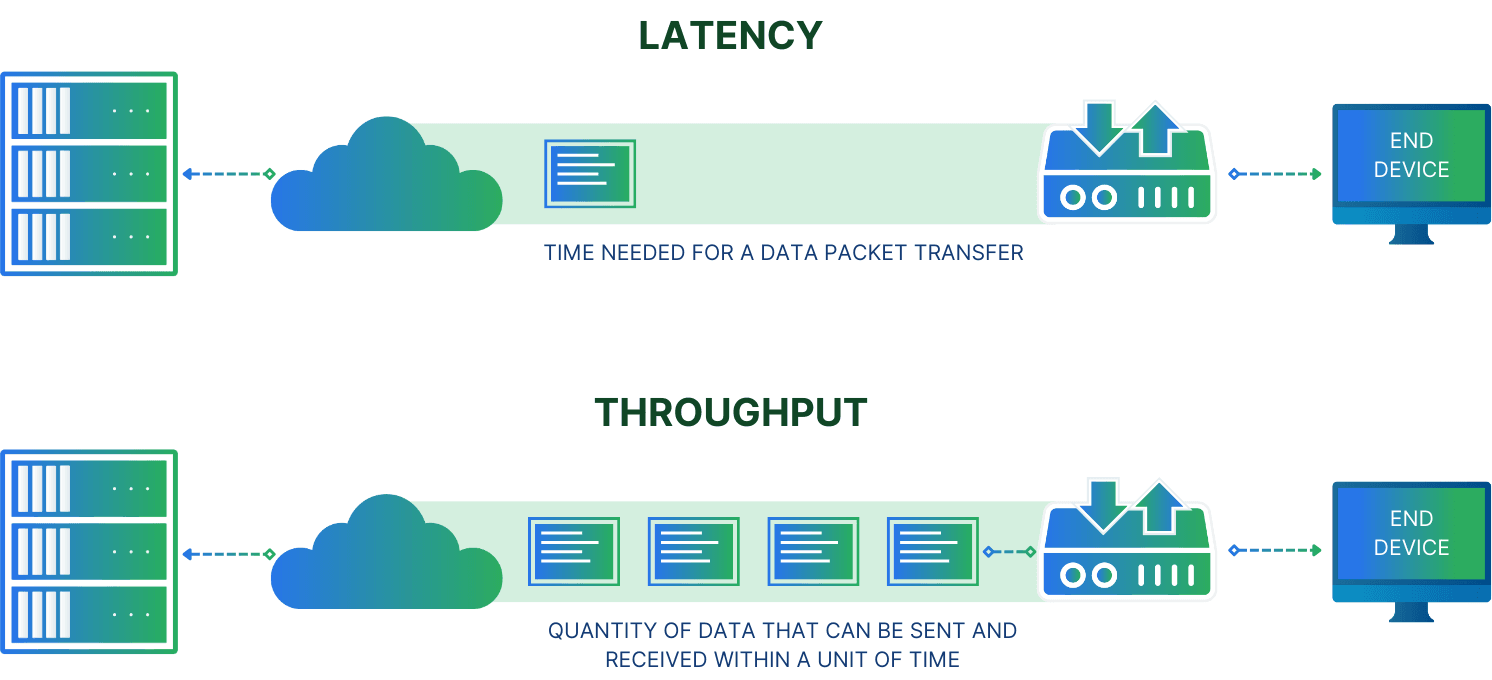
𝗣𝗿𝗼𝘃𝗶𝘀𝗶𝗼𝗻𝗲𝗱 𝗧𝗵𝗿𝗼𝘂𝗴𝗵𝗽𝘂𝘁 (𝗠𝗶𝗕/𝘀) vs 𝗜𝗢𝗣𝗦 (Input/Output Operations Per Second)
🧠 Do you know why the 𝗣𝗿𝗼𝘃𝗶𝘀𝗶𝗼𝗻𝗲𝗱 𝗧𝗵𝗿𝗼𝘂𝗴𝗵𝗽𝘂𝘁 (𝗠𝗶𝗕/𝘀) and 𝗜𝗢𝗣𝗦 (Input/Output Operations Per Second) are very important stuffs to consider based on requirements?
Correctly configuring these parameters based on our workload requirements is 𝘦𝘴𝘴𝘦𝘯𝘵𝘪𝘢𝘭 for optimizing performance and cost.
They are not the same thing. 🫰
📌 𝘈 𝘸𝘪𝘥𝘦𝘳 𝘩𝘪𝘨𝘩𝘸𝘢𝘺 (𝘩𝘪𝘨𝘩𝘦𝘳 𝘵𝘩𝘳𝘰𝘶𝘨𝘩𝘱𝘶𝘵) 𝘢𝘭𝘭𝘰𝘸𝘴 𝘮𝘰𝘳𝘦 𝘤𝘢𝘳𝘴 (𝘥𝘢𝘵𝘢) 𝘵𝘰 𝘵𝘳𝘢𝘷𝘦𝘭 𝘢𝘵 𝘵𝘩𝘦 𝘴𝘢𝘮𝘦 𝘵𝘪𝘮𝘦, 𝘸𝘩𝘪𝘤𝘩 𝘪𝘴 𝘶𝘴𝘦𝘧𝘶𝘭 𝘧𝘰𝘳 𝘭𝘢𝘳𝘨𝘦, 𝘤𝘰𝘯𝘵𝘪𝘯𝘶𝘰𝘶𝘴 𝘴𝘵𝘳𝘦𝘢𝘮𝘴 𝘰𝘧 𝘵𝘳𝘢𝘧𝘧𝘪𝘤.
• 𝗣𝗿𝗼𝘃𝗶𝘀𝗶𝗼𝗻𝗲𝗱 𝗧𝗵𝗿𝗼𝘂𝗴𝗵𝗽𝘂𝘁 (𝗠𝗶𝗕/𝘀): It refers to the data transfer speed, measured in mebibytes per second (MiB/s), for the EBS volumes attached to our cluster's data nodes. It's most relevant for workloads that involve large, sequential I/O operations, such as: • Indexing large documents or log files. • Bulk data ingestion. • Streaming large amounts of data.
• 𝗜𝗢𝗣𝗦 (𝗜𝗻𝗽𝘂𝘁/𝗢𝘂𝘁𝗽𝘂𝘁 𝗢𝗽𝗲𝗿𝗮𝘁𝗶𝗼𝗻𝘀 𝗣𝗲𝗿 𝗦𝗲𝗰𝗼𝗻𝗱): It measures how many separate read and write operations a storage volume can handle per second. This metric is crucial for workloads characterized by small, random, and frequent I/O requests, such as: • High-volume, low-latency queries. • Transactional systems. • Frequent updates to small documents.
Let's look at the analogy: Train vs Scooters --> 𝗛𝗶𝗴𝗵 𝗧𝗵𝗿𝗼𝘂𝗴𝗵𝗽𝘂𝘁 is like a large cargo train. 🚂 It's ideal for moving a massive amount of bulk goods (large data files) from point A to point B in a single, efficient trip.
--> 𝗛𝗶𝗴𝗵 𝗜𝗢𝗣𝗦 is like a fleet of delivery scooters. 🛵 Each scooter carries a small package (a small I/O request), but collectively, they can make thousands of individual and quick deliveries across a city, handling numerous, random requests rapidly.
🔥 More descriptively in-ease: Imagine our data storage is a restaurant.
--> IOPS: The Number of Orders the Kitchen Can Handle. It's like the total number of separate orders our kitchen can process per hour.
    * The amount of food a delivery car can fit in a single trip is the I/O Size.
    * The number of trips the car can make per hour is the IOPS.
    * The total food delivered per hour (I/O Size × IOPS) is the Throughput.
Now, think of that same restaurant's catering service. They get one massive order for a 300-person wedding. This is just one order, but the delivery car needs to be a huge van to carry all that food at once. The total volume of food moved in that single trip is enormous. This is High Throughput. It's not about the number of orders, but the total size of the delivery.
--> High Throughput is like having a large catering van that can deliver a huge amount of food over the course of an hour, because it can carry so much on each trip.
Suppose, the Restaurant can handle 300 orders at a time which is the IOPS. And each IO operation / delivery man / delivery vehicle have maximum 80 items of foods.
The fact that the restaurant can handle 300 separate orders per hour is its IOPS. It's a measure of how many tasks it can process in a given time. The "80 items of food" that a delivery vehicle can carry is not the throughput. It is the size of a single I/O operation (we can call it the "I/O Size"). Throughput is the total amount of food delivered over time.
Let's use your numbers to make it clear:
- If a delivery van can carry 80 items (I/O Size)...
- ...and it is fast enough to make 10 trips per hour (IOPS)...
- ...then the Throughput of your delivery system is 80 items/trip × 10 trips/hour = 800 items per hour.

IOPS = (ReadThroughput + WriteThroughput) / BlockSize
Throughput = (Read IOPS + Write IOPS) x BlockSize
Throughput = IOPS × I/O Size
So, to summarize:
- IOPS: How many trips can you make per hour? (e.g., 10 trips/hour)
- I/O Size: How much can you carry on each trip? (e.g., 80 items)
- Throughput: What is the total amount delivered per hour? (e.g., 800 items/hour)
When to Prioritize Which:
Prioritize High Throughput for:
- Log Analytics: Ingesting large, continuous streams of log data.
- Bulk Indexing: Loading a large dataset into Elasticsearch for the first time.
- Snapshot and Restore: Backing up or restoring an entire index or cluster.
Prioritize High IOPS for:
- E-commerce Search: Handling a high volume of concurrent user searches.
- Real-time Applications: Systems that require instant read/write access to small documents.
- Frequently Updated Data: When individual documents are updated often.
By understanding the nature of our workload—whether it involves moving large chunks of data or handling numerous small transactions—you can choose the right balance of Throughput and IOPS to build a cost-effective and high-performing Elasticsearch cluster.